Overtoom

What is a WhatsApp Flow?

A screen that opens inside WhatsApp itself. Your customer taps a button below your message and a form slides up. No browser, no login, no clicking away.

Jamal CederMeta Tech Provider · · 6 min read
Meta Tech Provider

An interactive form inside the chat. You design the screens. The customer stays in WhatsApp. System integration is possible, not required.

What a Flow looks like

Jamal explains in four minutes what a Flow is, why your customer never has to switch apps, and when you need a server connection and when you do not.

The video loads only after you click. It is spoken in Dutch.

What exactly is a WhatsApp Flow

A WhatsApp Flow is an interactive screen that opens inside the chat. Your customer taps a button below your message and a form slides up with dropdowns, text fields, or date pickers. It all happens inside WhatsApp. No browser, no cookie banner, no password login someone forgot years ago. The customer stays where they already are. You design the screens yourself. Keep it simple: two fields and a button. Or go further: multiple steps with conditions, where the next screen depends on what someone entered before. It all runs on Meta's WhatsApp Business API. You need a verified Meta business account and a number on the API. We build this as a Meta Tech Provider, custom to the systems you already use. What you pay is a fixed monthly fee covering the integration, maintenance, and adjustments, plus only Meta's message costs.

Meta advises: a Flow should take no longer than five minutes. One task per screen, not too many components. Ignore that and people drop off halfway. You will not see where, unless you have connected your own server. Without a connection you only see who completed the Flow. Who opened and quit is invisible.

There is another reason to keep it light. Requests to a connected server time out after ten seconds. That is enough for a simple lookup, not for heavy calculations. Keep it light, or build endpointless until you need live data. That builds faster and the screen opens faster.

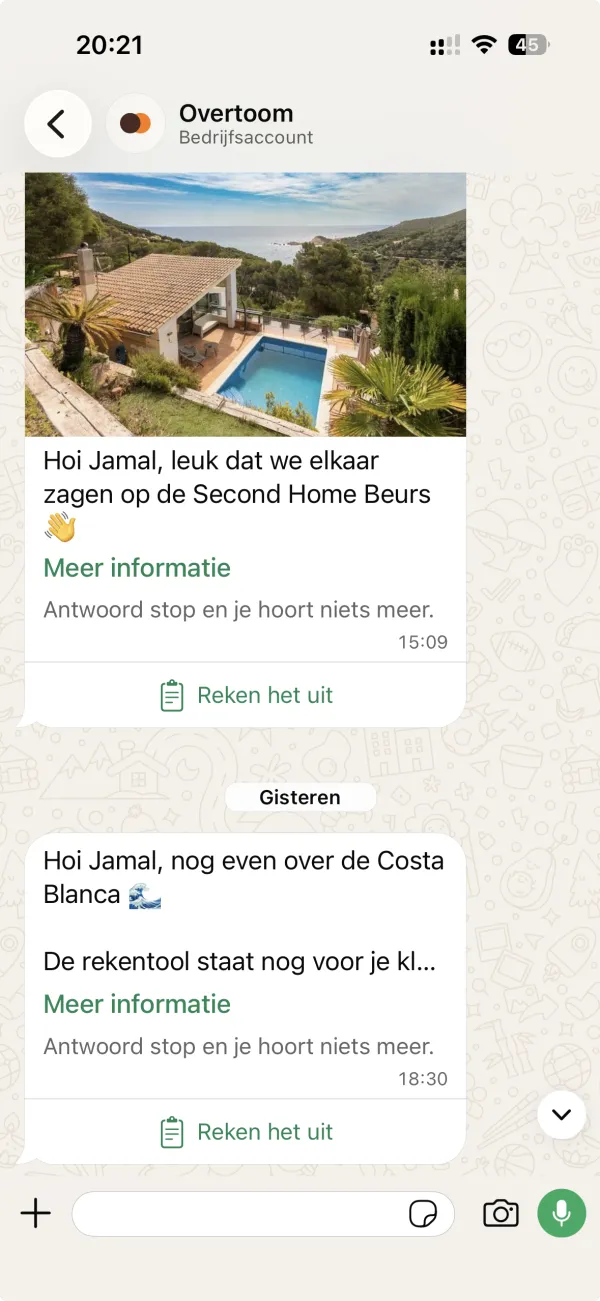
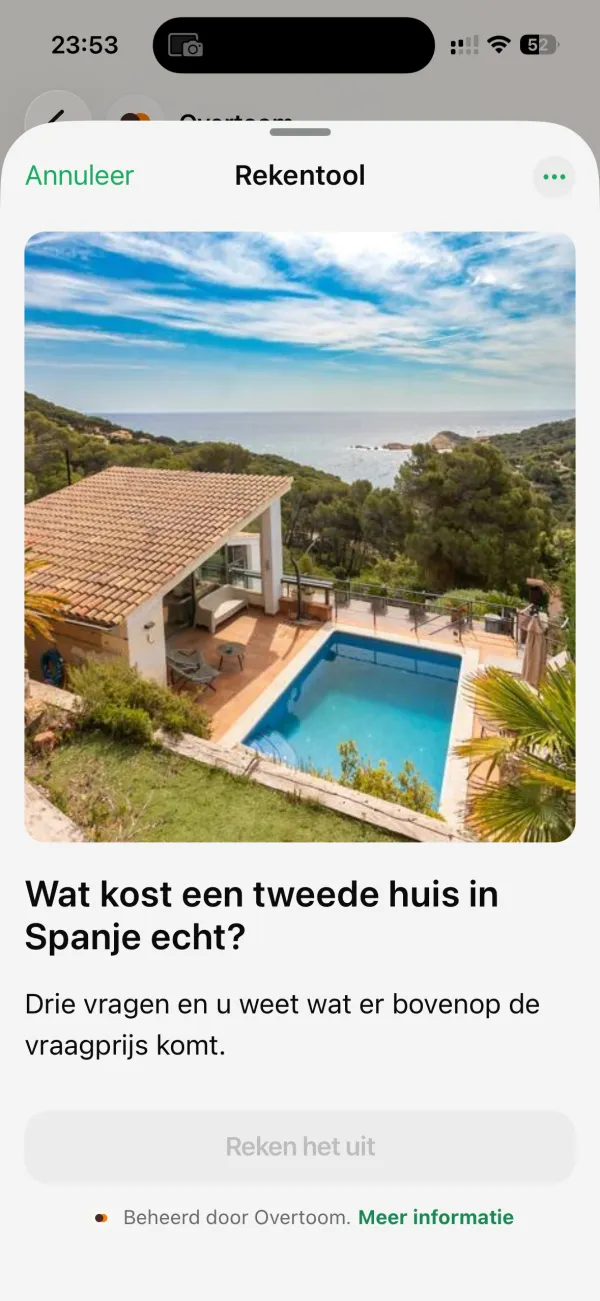
WhatsApp chat with Overtoom. A message with a photo of a house in Spain and a button with clipboard icon: 'Calculate it'.The Flow screen that opens: title 'Calculator', house photo, heading 'What does a second home in Spain really cost?', and the 'Calculate it' button below.
The customer stays in WhatsApp. No browser, no new tab.

Booking an appointment: with or without a Flow

In a regular chat you have two options. Reply buttons: up to three. Or a list message: one button that opens ten options. For many appointments that is enough. Your customer chooses, you get a message, you book manually.

A Flow adds more. Up to 200 options, free input, date and time pickers. Multiple questions in one screen, and screens that build on each other. Live data from your system: which times are still free? You see the appointment straight in your calendar, no back and forth.

In the chatWith Flow
OptionsMaximum 10Up to 200, plus free input
InputFixed choicesNumbers, text, dates
ScreensOne listMultiple, with logic
ConnectionYou checkLive with your system
ResultMessage by messageComplete at once
Best forSimple choicesComplex forms
Booking an appointment: in-chat versus Flow

The calculator: your expertise, their numbers

The strongest example is a calculator. You combine your professional knowledge with the two or three things only the customer knows. They get an answer for their own situation, not a brochure they have to work through themselves.

In the video Jamal mentions someone selling houses in Spain. That seller knows what goes on top of the asking price: tax, notary, transfer costs. And that it varies by region, and differs for new builds. The customer knows their budget, the region, and whether they want new build. Tap, tap, tap, and they see what they will actually pay.

We built this for a home battery installer. Annual roof production in, annual consumption in, estimated savings out. Below that the question: may an advisor call? The customer knows immediately if it is worth it. The seller knows immediately who is serious.

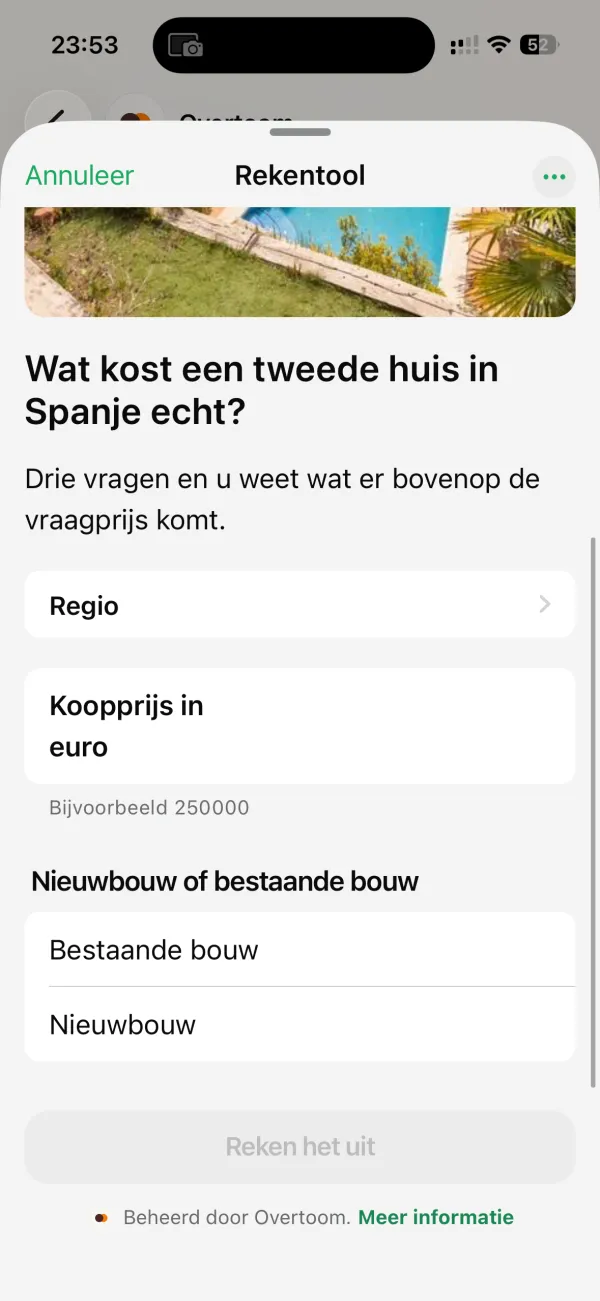
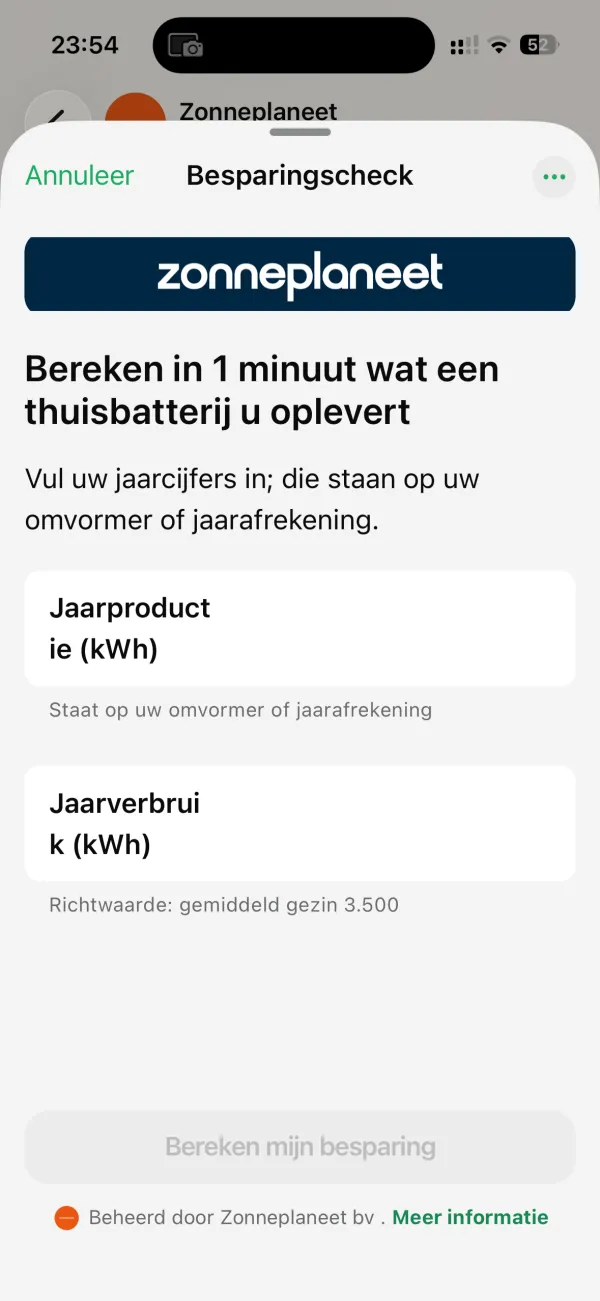
Input screen of the Spain calculator: dropdown 'Region', field 'Purchase price in euros', and choice between 'Existing build' and 'New build'.Input screen of Zonneplaneet: logo at top, heading about home battery savings, and fields for annual production and consumption in kWh.
Two builds, one pattern: your questions, their numbers.

With or without a server connection

You can build a Flow two ways. Endpointless: the data comes back in a message after completion. Or connected: your own server gets a request when someone opens the first screen, and another at every transition to the next screen. If they quit, nothing comes in; you infer that from the next step never arriving.

Meta's advice is clear: start endpointless. Only connect your own server if you need live data during entry, for example when booking tickets or checking availability.

We connect as soon as a Flow sits in a campaign and we want to know who opens it but does not finish. That gap between open and complete is valuable for adjusting your campaign. It is also more complex: you must maintain a server that responds within ten seconds. But it gives you numbers that Meta itself does not return.

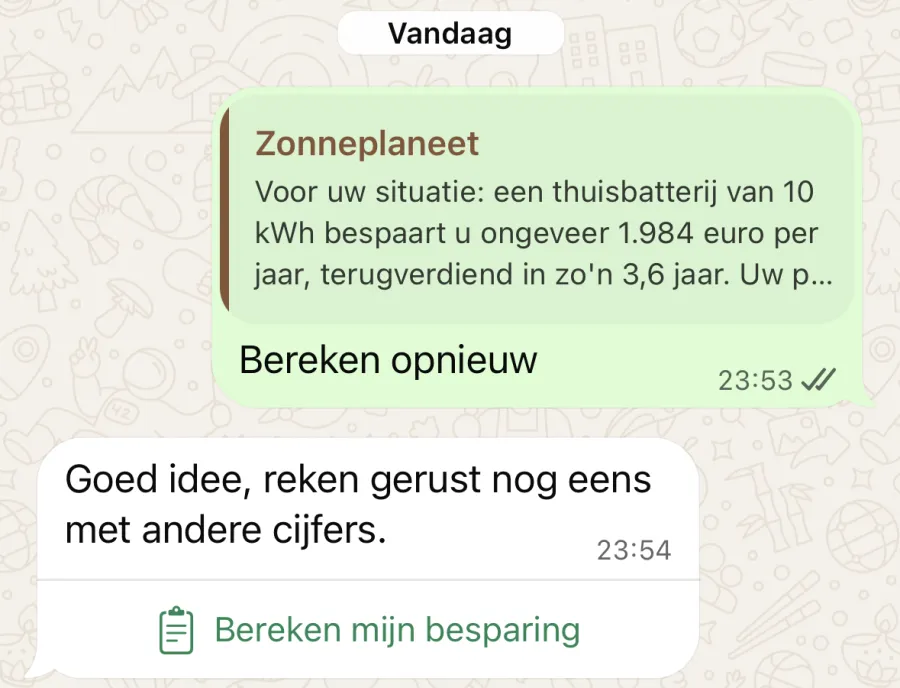
WhatsApp chat with the result: 'For your situation: a 10 kWh home battery saves you about 1,984 euros per year', with buttons 'Calculate again' and 'Calculate my savings'.
The result comes back as a regular chat message. With or without server connection.

When a Flow is the wrong choice

  1. 1

    It takes longer than five minutes

    Then people drop off and you cannot see where. Meta advises a five-minute maximum. Exceed that and you lose sight of where it goes wrong.

  2. 2

    The customer needs to log in or keep a long-running dossier

    A Flow is not a portal. You can upload documents and photos, up to 25 MB per file. But logging into an existing account is not possible, and a recurring dossier someone returns to belongs on your own environment.

  3. 3

    Two buttons are enough

    Do not use a Flow if a simple message with buttons achieves the same. A Flow is only worth it when you can do something buttons cannot.

  4. 4

    No one looks at the responses

    A Flow is only useful if you do something with it. If answers disappear into an inbox no one reads, you are building a dead end. Sort your process first, then your form.

Examples Meta itself mentions

Meta publishes worked examples. Signing up for a service, booking an appointment, getting an insurance quote, applying for a loan, requesting a personal offer. These are patterns that work across many sectors.

Farmacias del Ahorro, a pharmacy chain in Mexico, moved medical consultation requests to a Flow. WhatsApp published the results: 160 percent more consultations, and 88 percent of surveyed customers preferred the new way. That is Meta's own marketing material, from October 2023, built with partner Yalo. The methodology is not included, so read it as indication, not guarantee.

What it costs

A Flow costs nothing extra at Meta. You pay the standard message rate for the message containing the button. The category of that message sets the price. Exact amounts vary by country. See our pricing guide for current rates.

We build the Flow for you, custom, on the systems you already use. It simply sits within your monthly subscription. No separate project, no separate invoice.

What you need to go live

A verified Meta business account. A phone number on the WhatsApp Business API, not the free app. A Tech Provider to build the Flow and make the connection. And a go-live with Meta. Business verification takes time you cannot control. So we arrange that first, before we start building.

Read more

Sources

Ask us

We build custom WhatsApp Flows

We connect to your CRM, your booking system, or whatever you already use. No platform to log into. Book a conversation and we will discuss what you want to measure and where the data needs to go.

Book a call